Showing posts with label utility. Show all posts

Monday, June 27, 2011

GBoost | A Free windows game booster


A Free windows game booster service that allows you to temporarily strip down your slowing PC to its bare essentials for gaming. This improves the overall speed of your game including frame rate drops and lag spikes as well as alt tabbing out of games faster and generally more responsive gaming.
This works due to your PC no longer having any unnecessary overhead running tasks not required whilst gaming. Helps your CPU, RAM and also your connection to the internet.

Return your PC back to its former self by either pressing the Restore button or it happens automatically on your next reboot.
Completely safe with no permanent changes made to your PC.


System Requirements :
Operating Systems Supported
- Microsoft® Windows® 7 (32-bit and 64-bit) Starter/ Home Basic/Home Premium/Professional/Ultimate
- Microsoft® Windows® Vista (32-bit and 64-bit) Starter/Home Basic/Home Premium/Business /Ultimate
- Microsoft® Windows® XP (32-bit and 64-bit) with SP2/SP3 or Home/Professional/Media Center

Hardware Requirements :
- 300 MHz processor or faster processor
- 256 MB of RAM
- 30 MB of free hard disk space

Information :
Name : GBoost 1.0.3.0
Size : 744 KB
Web Developer : http://www.gzero.com/gboost/home.html
Download From Softpedia : GBoost 1.0.3.0

Download From majorgeeks : GBoost 1.0.3.0


Friday, June 24, 2011

AgataSoft Clipboard Manager is a freeware clipboard manager for Windows


AgataSoft Clipboard Manager is a simple application designed to enable you to assign keyboard shortcuts to your frequently used clipboards texts.
It is much easier to assign keyboard shortcuts to insert text using AgataSoft Clipboard Manager! For example, once appointed key combination "Win + 1" to insert your email address, you no longer have to type it manually!


Features of AgataSoft Clipboard Manager :
- Easily assign keyboard shortcuts to your frequently used clipboards texts.
- Saving the clipboard history of the system.
- Ability to load and save custom templates text clipboard.
- Ability to save and load custom clipboard history.

Information :
Name : AgataSoft Clipboard Manager 1.1
Size : 550 KB
Licence : Free
Web Depeloper : http://agatasoft.com/clipboard_manager.html
OS : Windows 98, 2000, 2003, XP, Vista, Seven
Download From Web Developer : AgataSoft Clipboard Manager 1.1

Download From Softpedia : AgataSoft Clipboard Manager 1.1


Tuesday, June 21, 2011

Windows Registry Recovery | The best tool for crashed machine registry configuration data recovery


Windows Registry Recovery is a free tool that allows you to read files containing Windows registry hives. It extracts many useful information about configuration and windows installation settings of host machine.You can explore security records, group and user accounts (SAM), installed software and hotfixes, control sets (like standard Device Manager), user data and Start menu items, services and drivers installed, network configuration and environment variables. Free to use for both private and commercial users.


This application allows to read files containing Windows 9x,NT,2K,XP,2K3 registry hives. It extracts many useful information about configuration and windows installation settings of host machine. Registry hive can be exported into REGEDIT4 format. Every topic data can be saved to CSV.It's designed in Multiple Document Interface.

Here are described individual explorers:
- File Information
In this explorer you can see basic file properties and checksums.
- Security Record Explorer
Displays all security records used in registry. Usage counter, owner SID, group SID, list of affected keys and list of SACL and DACL is displayed for every record with flags and permissions enumerated. This explorer is available only for NT based system registry hives.
- SAM
Displays Machine SID and part of SYSKEY. Enumerates local user and group accounts and some of their properties. This explorer is available only for NT based system registry SAM hive.
- Windows Instalation
Displays Windows name, ID and key, install date and user registration info. Enumerates installed software with descriptions and install date and list of installed hotfixes wih description. This explorer is available only SOFTWARE registry hive (Product ID and key are extracted in SYSTEM hive too).
- Control Set
Displays all configured devices that worked on host machine. They are displayed in "like Device Manager" tree with some properties. This explorer is available for SYSTEM registry hive.
- User Data
Displays user and machine name and tree based Start menu for selected USER hive. This explorer is available for USER registry hive.
- Startup Applications
Enumerates applications that are registered to be run after startup. This explorer is available for SOFTWARE registry hive.
- Services and Drivers
Enumerates all installed services and drivers with properties. This explorer is available only for NT based system registry SYSTEM hive.
- Network Configuration
Displays all installed network clients, protocols and services. Enumerates all defined network connections with its TCP/IP configuration. This explorer is available only for NT based system registry SYSTEM hive.
- Environment
Displays all environment variables. This explorer is available only for NT based system registry SYSTEM hive.
- Raw Data
This explorer displays whole registry in known tree format. Contains powerful searching and data interpreter.

Information :
Name : Windows Registry Recovery 1.5.2.0
Size : 967 KB
Licence : Free
Web Developer : http://www.mitec.cz/wrr.html
OS : Windows All
Download From Web Depeloper : Windows Registry Recovery 1.5.2.0

Download From Softpedia : Windows Registry Recovery 1.5.2.0


WinMend Registry Defrag | A free registry defragmentation and cleanup tool, simple to use, safe and reliable.


WinMend Registry Defrag is a free registry defragmentation and cleanup tool. It can rebuild registry index safely and clear waste registry space to make it easy for Windows and other applications to find data more efficiently. As Windows registry is re-organized, you will enjoy much improved operating system performance. This tool is safe, reliable, and simple to understand and use. You will be reminded to reboot your computer and installation. Supports Language: English, Hungarian, Vietnames.


After Windows registry is reorganized, you will find the performance of the operating system has been significantly improved. This tool is safe, reliable, simple to understand and use. You will be required to reboot the system after running it to work on the registry.

Feature :
1. Safe and Reliable
We utilized Microsoft’s latest base level reconstruction technology in this software. Based on numerous limit tests performed on WinMend Registry Defrag, we guarantee the maximum safety of you Windows operating system once the registry is rebuilt.
2. Intelligent Recommendation
Some settings in Windows system are not suitable for defragmentation. Forced defragmentation may cause serious instability to your system. With unique intelligent filter technology, WinMend Registry Defrag can accurately identify the settings not suitable for defragmentation, prompt the user and stop the defragmentation.
3. Fast Running
While we consider system safety our primary goal, we don’t compromise our speed. WinMend Registry Defrag runs 30% faster than similar products. Registry defragmentation can be completed within 2 minutes for most Windows systems.
4. Wizard-Based Operation
Our wizard-based design enables even an entry level user to complete defragmentation with ease. The task requires really just a few clicks!
5. Colorful Skins and Full Compatibility with Microsoft Operating Systems
Interfaces of 5 different colors are available in all WinMend applications. You can switch to a favorite one at any time to prevent visual fatigue. All applications fully support Windows 2000/XP/Vista/7 (32-bit and 64-bit) operating systems.

Information :
Name : WinMend Registry Defrag 1.3.9
Size : 2.4 MB
Licence : Free
Web Developer : http://www.winmend.com
OS : Windows 2K / XP / Vista / Vista64 / 7 / 7 x64
Download From Web Developer : WinMend Registry Defrag 1.3.9

Download : WinMend Registry Defrag 1.3.9


Saturday, June 18, 2011

OGG to MP3 Converter | Convert a single file or an entire directory of OGG audio files to the Mp3


OGG to MP3 Converter is a useful application for converting audio files from OGG (Vorbis) Audio to an MP3 audio. Convert single or entire directories of OGG (Vorbis) files to the Mp3 format. Easily convert the OGG file with just a few clicks. Designed to be user friendly and very easy to use.


Features :
- Built the OGG to MP3 converter for users who want to maintain the highest quality when converting from OGG (Vorbis) Audio to an MP3.
- Convert 1 OGG file at a time by simply browsing to the desired file and adding it to the que or you can……..
- Bulk convert an entire directory of OGG files by simply browsing to the desired folder containing the WAV files.
- Use the DEL (Delete) column to remove any unwanted WAV files before starting the conversion process.
- After you’ve loaded the desired OGG files into the Que, simply click the Green Conversion button to start the process.
- Check the Main Page for more of our Free Converters or visit the Support Page and make a request/suggestion for a Tool we don’t have yet.
- Windows XP, Vista and Win 7 Compatible

Information :
Name : OGG to MP3 Converter
Size : 5.3 mb
Licence : Free
OS : Windows XP, Vista and Win 7
Web Developer : http://www.tubetillatools.com/ogg-to-mp3
Download From Developer Website : OGG to MP3 Converter
Download From Cnet : Ogg to Mp3 Converter
Download From BrotherSoft : Ogg to Mp3 Converter


Friday, June 17, 2011

Sony Ericsson Themes Creator | Make your phone look completely different from the rest


The Sony Ericsson Themes Creator tool is a "composer" that allows you to personalize the look and feel of any Sony Ericsson mobile phone by quickly creating great-looking themes based on existing components such as color palettes, sound files, image files or animations.

The Themes Creator is now official and supports all Sony Ericsson phones that support themes (except P900, of course). Sony Ericsson Themes Creator is a software that helps you to personalize your mobile phone.


With a bit of work and creativity, you can make your phone look completely different from the rest, since you can change almost everything you see on the screen (except font face, some icons). By the way, there's still no way to remove the operator logo.

Requirements :
- Mobile Phone Monitor is necessary for this program.
- 10 MB hard disk
- 128 MB system RAM
- 300 MHz CPU

What's New in This Release :
- Added Jalou, and W518a.
- Added function to directly upload a theme to a mobile phone through a USB cable or Bluetooth serial
- Images can now be retrieved from the mobile phone for use as background images.
- Improved design of default theme styles.

Information :
Name : Sony Ericsson Themes Creator 4.16
Size : 17.4 MB
Licence : Free
OS : Windows 2K / XP / Vista
Web Developer : http://developer.sonyericsson.com/site/global/docstools/multimedia/p_multimedia.jsp
Download from Web Developer : Sony Ericsson Themes Creator 4.16

Download From Softpedia : Sony Ericsson Themes Creator 4.16


Droid Explorer | Manage your rooted android device with the simplicity of Windows Explorer


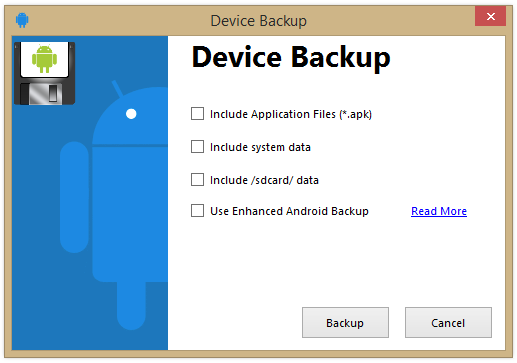
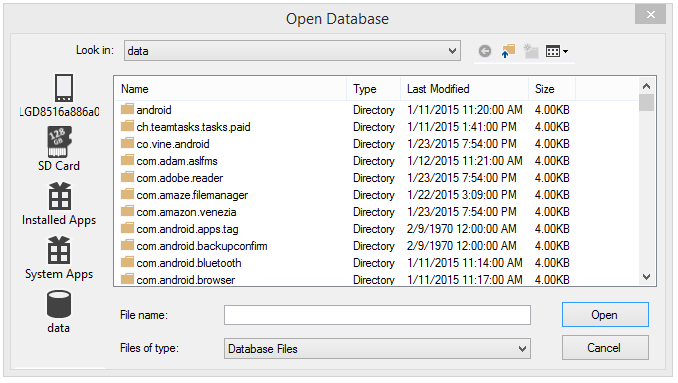
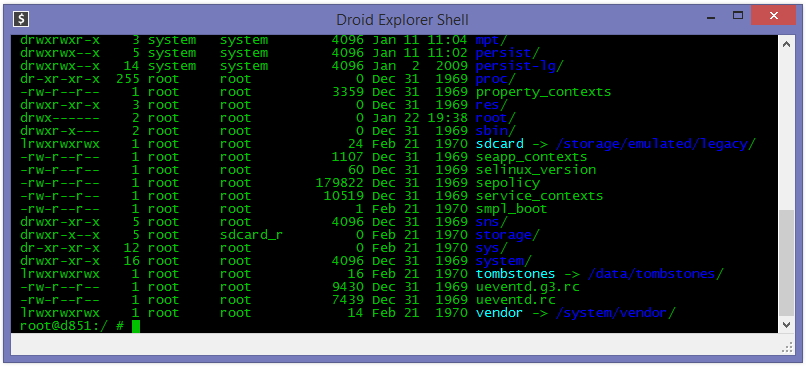
The Droid Explorer application was designed to be a small tool to manage your rooted android device with the simplicity of Windows Explorer.


Some key features :
- Multiple Device Support
- Copy and auto-apply update.zip
- Copy local files to device
- Auto detection of connected/disconnected device
- APK file icon and extended information
- Device command shell window
- Reboot device
- Reboot device in to recovery mode
- Open files for viewing / execution locally with the default file type executable
- Drag & Drop file copy from Explorer
- Flash Recovery Image
- Package Manager (Install & Uninstall)
- No need to mount SD card to access files from computer
- Access files in other directories besides SD card
- Copy files from device to local clipboard
- Paste files from local clipboard to device
- Open files on local machine
- Display open with dialog to specify what to open a file with
- Right click APK and Uninstall
- Right click APK and Install
- Delete files from device
- Take a Screen Shot (landscape or portrait)
- Plugins can register as a component to open files
- Open from within Computer
- Should now work with more ROMs as long as they are Rooted and have busybox
- Device "Friendly Name" instead of device serial number.
- Android Screencast Plugin - Control your android device with your mouse and keyboard
- Install/Uninstall APK files right from explorer
- Standalone plugin runner (will mainly be used for windows 7 jump lists and the apk installer but can be used to run any plugin.
- Better Hero Support
- Backup the "Google Experience" applications and creates an update.zip containing the applications

Requirements:
- NET Framework 3.5 SP 1
- Android Device

Information :
Name : Droid Explorer 0.8.8.2 Beta
Size : 12 MB
Licence : Free
Website : http://de.codeplex.com/
OS : Windows XP / Vista / 7
Download From Developer : Droid Explorer 0.8.8.2 Beta

Download From Softpedia : Droid Explorer 0.8.8.2 Beta


Thursday, June 16, 2011

Floola | Application to efficiently manage your iPod or your Motorola mobile phone


Floola is a freeware application to efficiently manage your iPod or your Motorola mobile phone (any model supporting iTunes except iPhone, iPod touch and nano 6G). Floola can be run easily directly from your iPod and needs no installation. Manage Music, Videos, Podcast and Photos all in one simple app, anywhere on any computer.


Floola supports almost all features offered by iPods including photos, artwork, podcasts and smart playlists! It automatically converts any incompatible audio or video file so that you can copy almost any file to it. It allows adding youtube and myspace videos with a single click. Now it even makes it possible to keep your Google calendars synched!

Some key features of Floola :
Cross plattform
-Works on any Windows (98 and above), any Mac and any linux distribution with GTK installed.
Portable:
- Put the application on iPod and launch it on any PC, immediately.
Copy:
- add and extract songs to and from iPod.
Playlists:
- Easily manage, import and export (m3u, pls) playlists.
Last.fm:
- Join the social music revolution.
Podcasts:
- Join the social music revolution.
Web videos:
- add files to iPod just copying the page url
Localization:
- Available in different languages.
Lyrics:
- Lyric support even on older iPods (3G and above).
Search for duplicates:
- Easily find duplicated songs on iPod.
Search lost files:
- Easily find songs lost in your iPod.
Artwork:
- Add artwork to your songs easily.
Videos:
- Videos can be added to iPod.
Convert:
- Convert audio and video incompatible formats
Google Calendars:
- Synchronize them easily
Export to HTML:
- Create HTML files containing list of your iPod files
Fix iPod:
- Did a software mess up your iPod? Fix it!
Notes:
- Manage notes.
Snarl support:
- Get beautiful system notifications.
Music:
- Play iPod’s music.
Photos:
- Freedom to simply add photos to iPod.

Requirements:
- It's suggested to install Quicktime to playback all kinds of medias on iPod.

Information :
Name : Floola 2011r3
Size : 9.8 MB
Licence : Free
Website : http://www.floola.com/
OS : Windows All
Download From Floola Web : Floola 2011r3

Download From Softpedia : Floola 2011r3


Nokia PC Suite 7.1.60.0 | Application for Nokia phones that lets you edit, synchronize and back up many of your phone's files


Nokia PC Suite is a package of Windows-based PC applications developed especially for use with Nokia phones. Depending on your phone model, Nokia PC Suite lets you edit, synchronize and back up many of your phone's files on a compatible PC through a cable or wireless connection.


Some key features of Nokia PC Suite :
- Back up and restore phone files
- Transfer information, pictures, and music from phone to phone or phone to PC
- Synchronize your phone and PC calendars
- Edit contacts, pictures, and phone file names
- Install Java-based applications in your phone
- Convert ringing tone formats
- Play multimedia messages and videos
- Send text messages from the PC
- Connect by using your phone as a modem

Requirements:
- Nokia Mobile Phone connected to your PC
- Available hard disk space: At least 300 MB of free disk space
- Connection methods: USB cable, infrared (IrDA), or Bluetooth

What's New in This Release:
- Windows 7 support
- Stability fixes

Information :
Name : Nokia PC Suite 7.1.60.0
Size : 34.1 MB
Licence : Freeware
Website : http://europe.nokia.com
OS : Windows 2K / XP / 2003 / Vista / XP X64 / Vista64 / 7 / 7 x64
Download From Nokia Web : Nokia PC Suite 7.1.60.0

Download From Softpedia : Nokia PC Suite 7.1.60.0


Tuesday, June 14, 2011

BitDefender Free Edition | The world's most effective antivirus engines for free


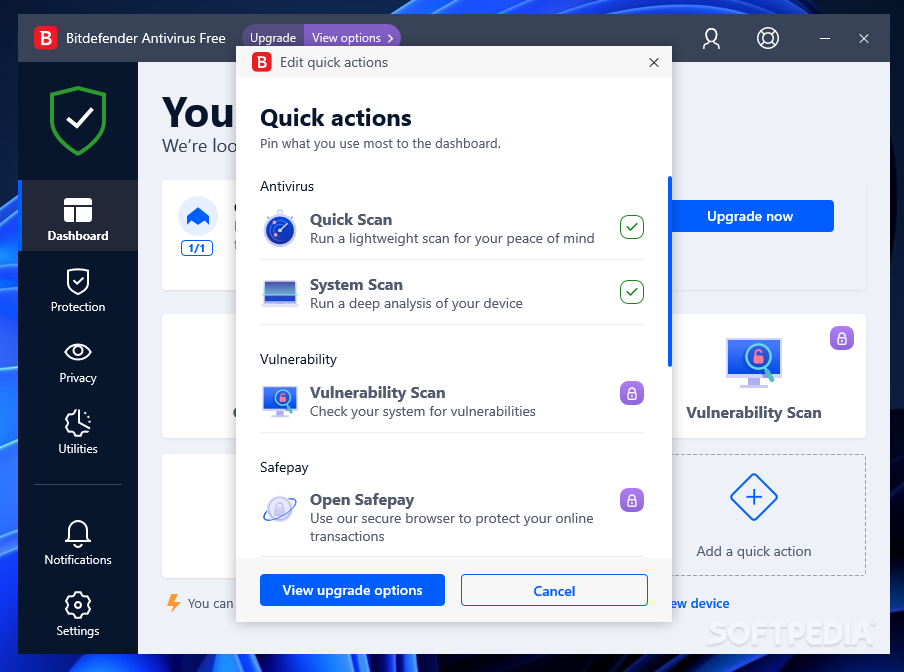
BitDefender Free Edition uses the same ICSA Labs certified scanning engines found in other BitDefender products, allowing you to enjoy basic virus protection for no cost at all. BitDefender Free Edition is an on-demand virus scanner, which is best used in a system recovery or forensics role.


Some key features of BitDefender Free Edition :

1). Virus scanning and removal:
· On demand scanning - Powerful scan engines ensure detection and removal of all viruses in the wild every time you need it.

2). Scheduled scanning :
· The Scheduler lets you plan ahead, and schedule full system/drive scans in the off hours, when you won’t be using your computer.

3). Immediate scanning :
· With just a right click you can check your files and folders.

4). Quarantine :
· By isolating the infected files in quarantine, the risk of getting infected diminishes. You also have the possibility to send these files for further analysis to BitDefender Labs.

5). Reports:
· When launching a scan you may choose to create a report file where you can see statistics about the scan process.

Information :
Name : BitDefender Free Edition 2009 Build 12.0.12.0
Size : 59.1 MB
Website : www.bitdefender.com
OS : Windows XP / Vista / 2008

Download From Softpedia : BitDefender Free Edition


ZipGenius | Free and powerful archive manager for Windows®


ZipGenius is a FREEWARE product, it is absolutely free for everybody and it can be installed in any environment and on an unlimited number of workstations (private,professional/commercial, corporate, educational, government environments are welcome).

ZipGenius is a handy utility designed to compress files to almost any kind of archive. ZipGenius supports more than 20 compressed archive formats, including CD/DVD-ROM image files in ISO9660 standard.


ZipGenius can handle more than 20 compressed archive types, so it is a perfet companion for your work and daily activities; but ZipGenius doesn't handle compressed archives, only: it is flexible and expandable so it could almost everything you want from it.

ZipGenius layout has been conceived to offer the highest ease of use through a lot of wizards and shortcuts, but it won't hurt the powerful features of the product. Don't mind if you are a novice computer user or a "geek": ZipGenius will guide you in every single action you will perform.

The clean and simply user interface of this program is designed to offer maximum performances to any kind of users: novice users will use the features they can see at first sight on the interface, while power users can go deeper through a lot of menus and submenus.

Requirements:
· CPU: Intel Pentium 233 MMX / AMD K5
· RAM: 16 MB
· 16 MB of free hard disk space

Information :
Name : ZipGenius 6.3.2.3000
Size : 8.8 MB
Website : http://www.zipgenius.com/
OS : Windows All
Licence : Free

Download : ZipGenius 6.3.2.3000


Monday, June 13, 2011

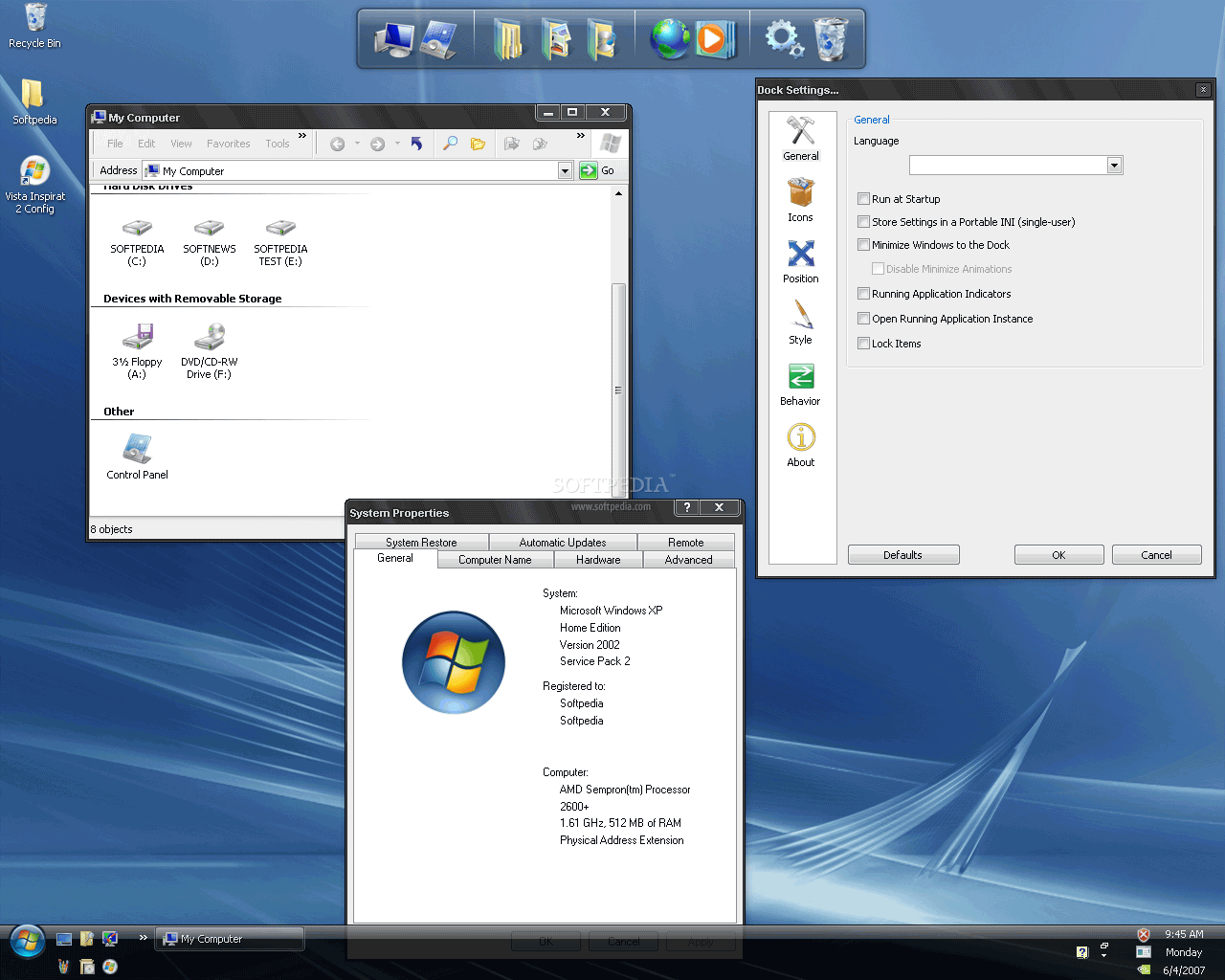
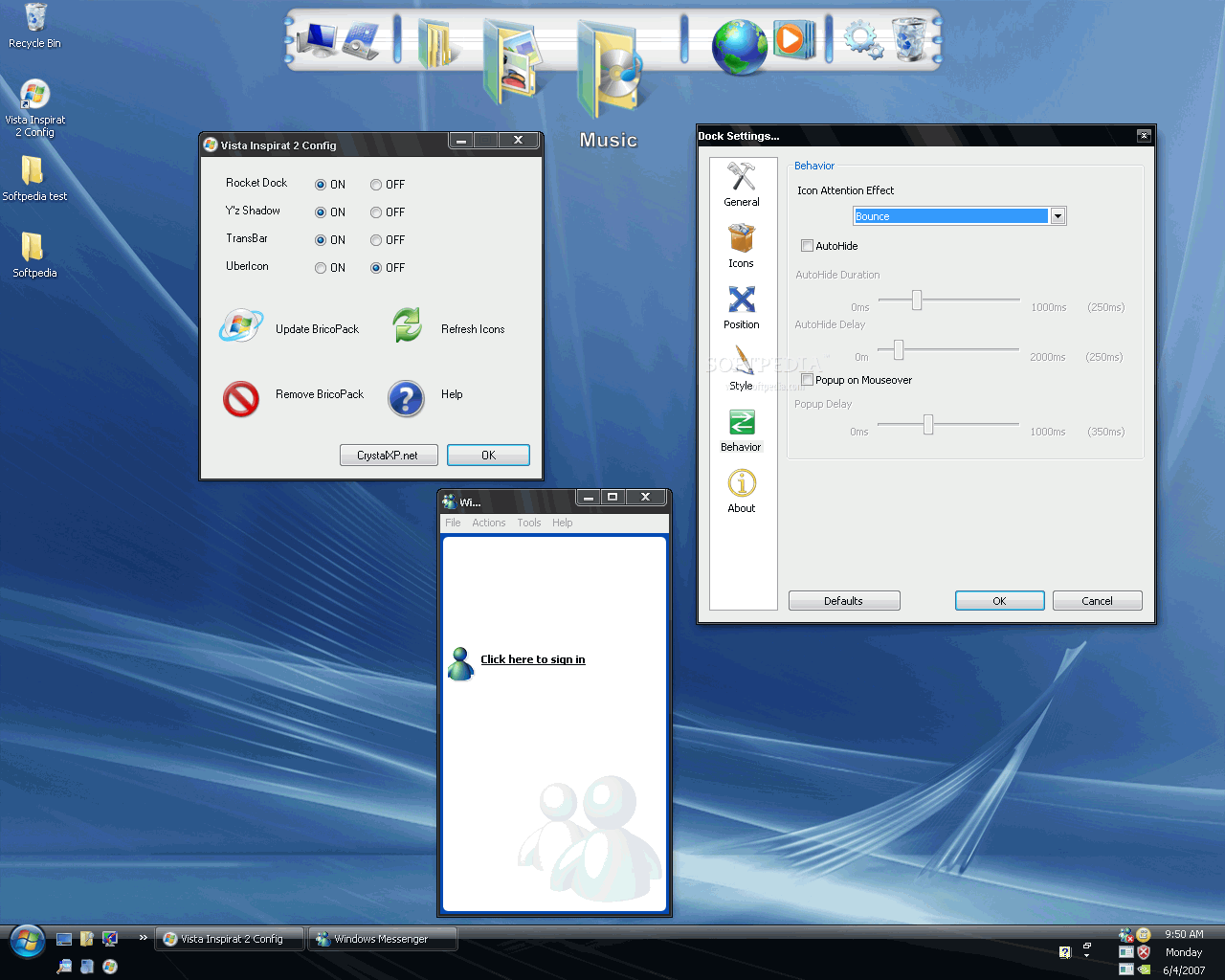
Universal Vista Inspirat Brico Pack Ultimate | Enjoy the true Vista look and feel for Windows XP


The update of the famous Vista Inspirat Brico Pack has finally arrived !The most downloaded Bricopack from CrystalXP needed a younger face : now, it's done ! As during this installation of Crystal Clear.

You can choose one of the four method of installation :
- express,
- classic,
- full,
- personalized : so you can adapt Vista Inspirat 2 options to your needs and to your PC. In this way, you can install this Bricopack in spite of the (old) age of your computer!


The aim of Vista Inspirat 2 isn't to be exactly like the real Windows Vista, but rather to look like it while staying entirely compatible with Windows XP !

This new version incorporates the last Vista icons, a completely new visual style, sounds, cursors, and as usual, the famous iColorFolder, RocketDock, Y'z Shadow... but also a new one : TransBar which allows you to add transparency to your task bar !

Now, the problem with the Windows Update KB925902 is solved ! And for nostalgic people, the old visual style (from Vista Inspirat 1) is available in the pack.

Vista Inspirat Shell Pack is a complete custom shell pack for all Windows XP. It consists of modified icons and a new themed appearance for Windows XP

Before launching the installation you must restore Windows XP original state/dll (Without any shell packs). For example, if you have the Longhorn Transformation Pack, you must uninstall it before installing a new BricoPack.

Information :
Name : Universal Vista Inspirat Brico Pack Ultimate 2 1.0
Size : 27.6 MB
Licence : Freeware
OS : Windows XP
Website : www.crystalxp.net
Download : Universal Vista Inspirat Brico Pack Ultimate 2 1.0

Download From Softpedia : Universal Vista Inspirat Brico Pack Ultimate 2 1.0


Sunday, June 12, 2011

Windows 8 UX Pack | The best way to get windows 8 user experience without modifying system files.


Windows 8 UX Pack will give you Windows 8 UI improvements such as theme and logon screen without touching system files at all so it won't have such risk to harm your system at all. In this package, you'll have Windows 8 inspired themes and applications to make your system resembles Windows 8 as much as possible without modifying system files. Give your desktop a visual boost with the Windows 8 UX Pack.


Some key features of Windows 8 UX Pack :
· M3 user interface for installation/configuration
· One-click installation/configuration
· UxStyle memory patching
· Windows 8 Aero Glass or Lite theme
· Instant M2 and M3 wallpaper/logon screen customization
· UserTile with current user/wallpaper auto configured on login

Information :
Name : Windows 8 UX Pack 1.0
Size : 6.5 MB
OS : Windows 7 / 7 x64 / 2008 R2
License: Freeware
Website : http://www.windowsxlive.net/windows-8-ux-pack
Download : Windows 8 UX Pack 1.0

Download : Windows 8 UX Pack 1.0